Are you looking for a comprehensive tutorial to learn about Jasper AI? Look no further! We’ve put together an extensive guide that covers all of the basics that you need to know.
In this guide, we delve into all of the key features of Jasper AI. If you are interested in learning about AI-generated content or just want to improve your content-generation speed, this Jasper AI tutorial should help you get up and running with it quickly. Let’s dive in!
Before we dig in, if you don’t already have a Jasper subscription, you can sign up now and get a complimentary five-day trial plus 10,000 bonus credits with this exclusive link!
If you subscribe, thanks – that is how we make money from tutorials like this!
- What is Jasper AI?
- How Jasper AI evolved
- Why did Jasper AI change its name from Jarvis AI?
- Jasper AI blends artificial Intelligence with other writing tools
- Jasper AI assists writers but does not replace them
- How does Jasper AI help writers?
- What can Jasper AI be used for?
- Can I use Jasper AI for free? Is there a discount code or free trial?
- How much does Jasper AI Cost?
- Is there a money-back guarantee with Jasper AI plans?
- What happens if I go over my plan’s word limit?
- Who should use Jasper AI?
- How accurate is Jasper AI?
- What languages does Jasper AI support?
- Jasper outputs your content in the 29 following languages:
- Is there a Jasper AI mobile app?
- What is the Jasper Dashboard?
- What are Jasper Templates?
- How to use Jasper Templates
- What are Jasper Workflows?
- What are Jasper Documents, and how do we use them?
- What tools does Jasper have?
- What are Jasper's Commands and how do we use them?
- Can you tell Jasper what to do through voice commands?
- What are Jasper Recipes and how do you use them?
- Jasper errs, like humans
- Conclusion
What is Jasper AI?
Jasper AI is an innovative writing tool that goes beyond what you’d expect – it’s a virtual assistant powered by artificial intelligence and its capabilities are continually expanding.
Jasper AI is an artificial intelligence assistant that provides writers with a content-creation adrenaline boost.
Jasper AI helps tech-savvy writers create compelling content at an unprecedented speed!

Sign up today and get a complimentary five-day trial plus 10,000 bonus credits!
Stop wasting time on menial tasks and start using your valuable hours to focus on what you do best!
How Jasper AI evolved
While you can use Jasper AI without knowing anything about its evolution, a basic understanding of how it evolved will help you better harness its power.
It all started with OpenAI, a research organization that focuses on the development of artificial intelligence technologies that are open, transparent, and widely available. The organization was founded in 2015 by a group of tech leaders, including Elon Musk and Sam Altman, with the goal of advancing the field of artificial intelligence in a responsible and ethical manner.
OpenAI is committed to making its technologies widely available to the public and to fostering collaboration within the AI community.
OpenAI has created a pioneering breakthrough in the field of natural language processing (NLP) – the GPT-3 (Generative Pre-trained Transformer 3). It is widely recognized as one of the most powerful and innovative NLP models ever developed, with an awe-inspiring 175 billion parameters.
GPT-3 can produce human-like text that is indistinguishable from human-created text. It is a significant advancement in the field of NLP and has the potential to revolutionize the way that we use language-based technologies, like Jasper AI.
GPT-3 has the remarkable capacity to execute what is known as a “zero-shot” task, which means that it can accomplish a novel responsibility without any special instruction. In simpler terms, GPT-3 acts and reasons like humans; it even exhibits our ability to understand something entirely new quickly.
Why did Jasper AI change its name from Jarvis AI?
Jasper AI was previously called Jarvis AI.
The name was changed after Marvel threatened legal action because they already were using the name J.A.R.V.I.S. for a fictional artificial intelligence character.
Marvel’s J.A.R.V.I.S. or “Just A Rather Very Intelligent System” is portrayed as a highly advanced computer system that supports Tony Stark and makes Iron Man a better superhero through AI.
Like J.A.R.V.I.S., Jasper AI is an AI-powered virtual assistant that enables creators to become real-life superheroes!
Jasper AI blends artificial Intelligence with other writing tools
Jasper AI not only employs GPT-3 artificial intelligence to expedite the writing process but also has a few nifty integrations like:
- Search Engine Optimization software, so online content creators can maximize their audience with the content they create;
- Plagiarism Checker to ensure that your content is plagiarism-free;
- Grammarly to make sure your content reads well; and
- Translation to make your content available in 29 different languages to date.
Jasper AI assists writers but does not replace them
Jasper AI does not replace writers. It just gives them the tools they need to write faster and more efficiently. It lets writers focus on the big picture, while Jasper AI does the heavy lifting.
Sign up today and get a complimentary five-day trial plus 10,000 bonus credits!
Stop wasting time on menial tasks and start using your valuable hours to focus on what you do best!
How does Jasper AI help writers?
Jasper AI can help writers in the following ways:
- Faster first drafts: Write your first drafts in record time with Jasper Templates, Recipes, and tools! From producing paragraphs to creating outlines, Jasper accelerates the process so you can get done quicker than ever before. In only moments, see what usually takes hours of work completed!
- Overcome writer’s block: Jasper AI can save you from the dreaded writer’s block, providing ideas and topics to jumpstart your writing.
- Create content in any language: Jasper AI can help you write creatively and clearly in 24 languages to date and output your content in 29 languages (see below for details).
- Scale faster: Looking for a way to boost your content creation? Jasper AI can help you skyrocket your output by up to tenfold! You’ll never have to worry about short deadlines again.
- Rank for SEO: Use SurferSEO’s integration to make your content stand out from the rest and be seen in search results. With its help, you can craft unique materials that are endowed with powerful SEO capabilities.
- Boost conversions with better copy: Quickly create and analyze various ad copy versions to get the best conversion rate for your business.
What can Jasper AI be used for?
Jasper AI can create content for just about everything, including:
- Blogs (from outlines to complete articles)
- Emails
- Google ads headlines and descriptions
- Facebook ad headlines and any other form of advertising copy
- LinkedIn profiles
- Product descriptions and features lists for e-commerce
- SEO meta descriptions and titles
- Social media posts, ad copy, and profile bios
- Video Descriptions
- Website copy
Can I use Jasper AI for free? Is there a discount code or free trial?
Yes, you can get five days of free Jasper AI and 10,000 bonus credits with this link.
How much does Jasper AI Cost?
There are three pricing plans as follows:
- Jasper Starter Plan: $29 per month (this comes with 20,000 words)
- Jasper Boss Mode: $59 per month (this comes with 50,000 words)
- Jasper for Business: You need to call the Jasper team to learn more about enterprise pricing
The price is even cheaper if you elect to pay for a full year. The word count is for words written by Jasper AI.
With Jasper, there is no extra charge for adding team members — the only thing that affects your cost is how many credits you use!
Get Jasper AI FREE for five days and 10,000 bonus credits with this exclusive link! Don’t miss out on this incredible offer – access the free trial period and enjoy 10,000 bonus credits.
Is there a money-back guarantee with Jasper AI plans?
Yes, Jasper comes with a five-day money-back guarantee. If you’re not satisfied with the Jasper AI, you can send an email to hey@jasper.ai explaining the issue, and they will refund 100% of the money.
Sign up today and get a complimentary five-day trial plus 10,000 bonus credits!
Stop wasting time on menial tasks and start using your valuable hours to focus on what you do best!
What happens if I go over my plan’s word limit?
If you exceed your plan’s limit in 30 days, you have two options.
First, you can upgrade to a higher monthly limit. This allows you to scale up your plan as your content needs grow. The price per word decreases as you scale up. Unused words do not roll over to the next month.
Second, you can wait until your credits renew at the start of your next billing cycle.
Who should use Jasper AI?
Jasper AI should be used by anyone who is expected to generate high-quality content as part of their job, including:
- Ad copy professionals
- Bloggers
- Business development professionals
- Copywriters
- Email marketers
- Marketing professionals
- Salespeople
- SEO professionals
- Social media professionals
- Scriptwriters
- Video creators
How accurate is Jasper AI?
Jasper AI is a powerful AI-enhanced assistant, but it still needs human direction and supervision. Here are some of Jasper’s quirks that you should be aware of and how to address them:
- Time Warp: GPT-3, the AI that powers Jasper AI, was first trained by reading about 10% of the published internet at the end of 2019. A lot in the world has changed since then, and Jasper AI needs to catch up. The Fix – You can help Jasper AI catch up by feeding it recent information you think it needs in the content brief.
- What?: Sometimes Jasper AI will produce content that is entirely off-topic. The Fix – This can be avoided by feeding it focused information in the content brief and limiting the output length to “s” (shot) or “m” (medium).
- Déjà vu!: If Jasper AI ever starts to repeat itself, resulting in near-identical sentences or paragraphs, there’s a solution. Keep the content brief up-to-date and block future iterations by adding an ellipsis (“…”) directly after any output you don’t want it accessing again – this will prevent unnecessary rehashes of prior work.
- Fake News: Although Jasper AI can be a helpful assistant, it is not infallible. At times, its output may contain facts or statistics that lack citation; at other times, the data could even be incorrect! To ensure accuracy and precision in your work, always make sure to double-check what Jasper AI produces for you.
Despite these flaws, Jasper AI can generate content of high quality quickly – even factoring in the time for oversight and verification.
What languages does Jasper AI support?
As of this writing, you can write in the 24 most widely used languages:
- Bulgarian
- Chinese
- Czech
- Danish
- Dutch
- English
- Estonia
- Finnish
- French
- German
- Greek
- Hungarian
- Italian
- Japanese
- Latvian
- Lithuanian
- Polish
- Portuguese
- Romanian
- Russian
- Slovak
- Slovenian
- Spanish
- Swedish
Jasper outputs your content in the 29 following languages:
- Bulgarian
- Chinese
- Czech
- Danish
- Dutch
- English
- English (British)
- Estonia
- Finnish
- French
- German
- Greek
- Hungarian
- Indonesian
- Italian
- Japanese
- Latvian
- Lithuanian
- Polish
- Portuguese
- Portuguese (Brazilian)
- Romanian
- Russian
- Slovak
- Slovenian
- Spanish
- Swedish
- Turkish
- Ukrainian
Is there a Jasper AI mobile app?
No, Jasper is a web-based application that you can use on a desktop or mobile. To maximize the power of its resources, it is advisable to use it on a larger device such as a laptop or desktop computer.
You input instructions on what you want – Jasper makes that process easier through Templates, Recipes, Power Mode, etc. – and the AI spits back outputs.
Sign up today and get a complimentary five-day trial plus 10,000 bonus credits!
Stop wasting time on menial tasks and start using your valuable hours to focus on what you do best!
What is the Jasper Dashboard?
The Dashboard is your starting point, where you can see announcements, Templates, Recipes, favorites, trash, and more. Users with the Jasper Boss Mode Plan can access documents in the nav bar.
The Dashboard is the place to create a new project. Just click on the project drop-down in the bottom left of the dashboard and then press the + icon on the top, name your project, and you are off to the races.
When you first use Jasper, be sure to take advantage of the free credits by watching a video, creating a blog post and other content, and leaving an honest review.
What are Jasper Templates?
Think of Jasper Templates as building blocks – they are pre-made blocks for specific, short-form use cases. Templates are available on all Jasper plans.
Inside each Template, you will see fields to fill out to tell Jasper what you want to write about, including description, audience, keywords, and tone of voice.
Jasper Copywriting Templates
Here are the most popular Jasper Copywriting Templates:
- AIDA Framework: AIDA stands for Attention, Interest, Desire, and Action. Give Jasper information about your product, and it will output the framework used by copywriters around the world to write effective sales pages, landing pages, etc.
- PAS Framework: A similar framework for sales copy, PAS stands for Problem, Agitation, and Solution.
- Facebook Ad: You’ll give Jasper info about your product and target market, and it will write ad copy! THIS IS GOLD for FB ad people – mostly due to the fact that you generally need SEVERAL ads to test.
- Google Ads: Same thing, but for Google Ads!
- Product Description: You’ll give Jasper information about your product, and it writes a description for you to use on e-commerce platforms, etc.
Jasper Blogging Templates
Here are some popular Jasper blogging Templates:
- Paragraph Generator: You give an idea of what to write, and Jasper will spit out a paragraph (or more) of content for you to use!
- Long-form Assistant: This template walks you through what to include in your blog post (introduction, conclusion, etc.).
- Blog Post Outline: This is just what it sounds like. Jasper will help you create an outline for your blog post!
- Blog Post Topic Ideas: Jasper will help you brainstorm ideas for your next blog post.
- Blog Post Intro: Jasper will write an intro for your blog post.
- Blog Post Conclusion Paragraph: Jasper will write a nice little summary conclusion.
- Creative Story: You’ll give Jasper some input, and the AI will write a story that engages readers.
SEO-related Templates
Here are some of the popular SEO-related Templates:
- SEO Blog Posts – Title and Meta Description: Jasper will help you write SEO-optimized title tags and meta descriptions for blog posts that rank well on Google.
- SEO Homepage – Title And Meta Description: Jasper will help you write SEO-optimized title tags and meta descriptions for homepages that will rank well on Google.
- SEO Product Page – Title And Meta Description: Jasper will help you write SEO-optimized title tags and meta descriptions that rank well on Google for product pages.
Sign up today and get a complimentary five-day trial plus 10,000 bonus credits!
Stop wasting time on menial tasks and start using your valuable hours to focus on what you do best!
Other Commonly Used Jasper Templates
Here are some of the other commonly used Jasper Templates:
- Product Description: Jasper will help you create compelling product descriptions to be used on websites, emails, and social media.
- Blog Post-Intro Paragraph: Jasper will help you blast through writer’s block by letting Conversion AI write your blog post intro paragraph for you.
- Sentence Expander: Jasper will help you expand a sentence into a longer sentence that is creative, interesting, and engaging.
- Google Ads Headline: Jasper will help you create high-converting copy for the “Headlines” section of your Google Ads.
- Google Ads Description: Jasper will help you create high-converting copy for the “Description” section of your Google Ads.
- Amazon Product Features (Bullet Points): Jasper will help you create key features and benefit bullet points for Amazon listings under the “about this item” section.
- Amazon Product Description (Paragraph): Jasper will help you create compelling product descriptions for Amazon listings.
- Perfect Headline: Trained with formulas from the world’s best copywriters, this template is sure to create high-converting headlines for your business.
- Website Sub-Headline: Jasper will help you create delightfully informative sub-headlines (H2) for your websites and landing pages.
- Instagram Photo Post Captions: Jasper will help you write catchy captions for your Instagram posts.
- Persuasive Bullet Points: Jasper will help you generate persuasive bullet points to insert into landing pages, emails, and more.
- YouTube Video Topic Ideas: Jasper will help you brainstorm new video topics that will engage viewers and rank well on YouTube.
- YouTube Video Script Outline: Jasper will help you create script outlines for your videos. This template works best for “List” and “How to” style videos.
- YouTube Video Titles: Jasper will help you create engaging, click-worthy titles for your videos that will rank on YouTube.
- YouTube Video Description: Jasper will help you create unique descriptions for YouTube videos that rank well in search.
- Review Responder: Jasper will help you write responses to public customer reviews that are winsome, professional, and delightful.
- Personalized Cold Emails: Jasper will help you write cold emails that actually work and get responses.
- Email Subject Lines: Jasper will help you write compelling email subject lines that get readers to open your emails.
- Company Bio: Jasper will help you tell your company’s story with a captivating bio.
- Unique Value Propositions: Jasper will help you create a clear statement that describes the benefit of your offer in a powerful way.
- Pinterest Pin Title and Description: Jasper will help you create great Pinterest pin titles and descriptions that drive engagement, traffic, and reach.
- Press Release Title and Intro: Jasper will help you write the opening paragraph of a press release that people will actually want to read.
- Engaging Questions: Jasper will help you ask your creative audience questions to increase engagement.
- Business or Product Name: Jasper will help you generate a winning name for your business or products.
How to use Jasper Templates
Here are the steps to use Jasper Templates:
- First, access “Templates” on the navigation bar. Then open the Jasper Template you want. Boss Mode users can access templates in ”Power mode” too.
- Jasper will then prompt you for a specific type of input (for example, “Blog post title” or “product name”)
- You’ll set the tone of voice (optional).
- You’ll select how many different outputs you want.
- Hit “Generate AI content.”
- Jasper will then generate output.
If there is an output that you want to use later, you can click the star icon to save it for later use.
What are Jasper Workflows?
Workflows are similar to Templates but offer more customization options. This gives creators another way to write thorough documents using Jasper AI. You create your desired outline, and Jasper takes your information to create something comprehensive.
What are Jasper Documents, and how do we use them?
The “documents” feature is only available in Boss Mode or higher plans. Boss Mode is designed for users who regularly create long-form content.
Creators in Boss Mode have the ability to select any one of the following views while creating and editing a document:
- Focus Mode: This is the default view and looks a lot like other content editors.
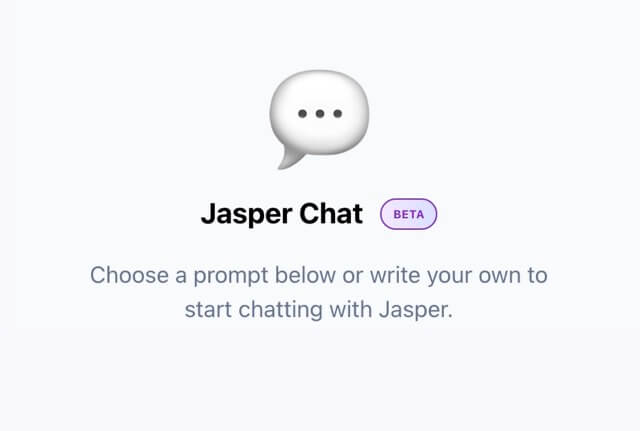
- Chat Mode: The Jasper Chat interface provides an interactive way to engage with Jasper.
- Power Mode: This opens up all of the Jasper Templates and makes them readily accessible..
- SEO Mode – This opens up SurferSEO.
Focus Mode
You can edit your document while using any of the four modes, but it is best to start in focus mode to set the tone and keep Jasper focused.
Focus Mode has a left sidebar containing input fields that Jasper looks at while creating content.
In addition to the ‘tone of voice” field, there are three other context fields:
- Title: Jasper will look at this for context when writing,
- Content Description/Brief: Simple instructions telling Jasper what you want to write about – pretend you are writing detailed instructions to an assistant.
- Keywords: Using keywords makes it more likely that Jasper will include them. Jasper won’t go overboard with this though. Jasper AI will only add keywords when relevant.
In addition, the “tone of voice” field can be tailored according to type (e.g., professional, scientific, academic, amusing, or sarcastic) and personality (like Arnold Schwarzenegger’s style or Martha Stewart’s). Feel free to get as innovative as you’d like – try different settings until you land on the perfect one!
Chat Mode – the Jasper Chat Interface
Jasper just released a new chat feature that allows Boss Mode and Business Mode users to engage with Jasper in chat mode.
Jasper’s new chat feature is great when you want to generate a sentence or paragraph that is outside the parameters of your article. Think of it like asking an assistant to look up something or create a paragraph about something, while you are busy making the article better.
Chat is built for specific use cases, such as marketing and sales departments, to make writing faster and easier. It also allows users to up-vote or down-vote any results so Jasper can learn from user feedback, which will enable it to become more intelligent over time.
Power Mode
While editing, you may want to get super specific in one section and take advantage of a template (paragraph generator, sentence expander, product description. etc.). Power mode gives you that functionality.
To begin, just click the “Power mode” icon at the top. You can then access all the templates on the left-hand sidebar. When you use a template in Power mode, the commands are situated next to them, and your document displays in the window on the right.
SEO Mode
SurferSEO is a tool that optimizes your on-page SEO to help you rank higher in search results. Jasper AI integrates directly with SurferSEO.
By utilizing Jasper’s intuitive editor, you can access all of SurferSEO’s powerful features and capabilities in just one click, which will help your content quickly rise to the top of search engine results.
If you don’t have a SurferSEO account yet, now is the perfect time to get one! Through Jasper AI integration, you can take advantage of its special offer – just $1 for your first month of the SurferSEO Basic plan.
After 30 days if you haven’t canceled your subscription, it will automatically renew at full price ($59 per month).
What tools does Jasper have?
Jasper has many useful tools to help you with your writing, like:
What are Jasper’s Commands and how do we use them?
- Rephrase Tool: Simply highlight the text that you want to rewrite and then click the star icon.
- Write Like a Fifth Grader: Simply highlight the text that you want to rewrite and then click the smiley face. This makes your content easy to read.
- Grammar Check: You can choose to toggle Grammarly on or off by clicking on the G icon on the top right.
- Plagiarism Check: Simply highlight the text that you want to check and click on the Green Plagiarism Checker Icon near the top right. There is a small extra charge for this, but it is worth the peace of mind.
With Jasper, you can communicate tasks in everyday language and it will do the work for you!
To give Jasper a command, simply type it out, place your cursor at the end of the sentence, and hit Command + Enter for Mac (Control + Enter for Windows).
Here are some examples:
- Write blog post titles about life on Mars
- Write an intro paragraph about life on Mars
- Write an intro paragraph in the first-person point of view about living on Mars
- Write a sarcastic paragraph about space travel
- Write a blog post outline about life on Mars
- Write a listicle outline for things to bring to Mars
- Write some FAQs about building houses and other structures from materials found on Mars
Because Jasper can see everything in the context input fields and 2000 character of the text that is already written, you can sometimes give commands with further guidance, like:
- Write the next sentence
- Continue to write
- Rewrite the above list as a paragraph
- Rewrite the above paragraph as a list
- Write a conclusion about the above using the AIDA framework
Can you tell Jasper what to do through voice commands?
Yes, you can give Jasper commands through “Voice Dictation” on a Mac or “Voice Typing” for Windows. This gives the real feeling of a virtual assistant and helps create content more quickly.
Sign up today and get a complimentary five-day trial plus 10,000 bonus credits!
Stop wasting time on menial tasks and start using your valuable hours to focus on what you do best!
What are Jasper Recipes and how do you use them?
Streamline your content-creation process with Jasper Recipes, which are pre-built workflows made up of a series of repeatable commands. These templates help you effortlessly generate top-quality content in repeatable formats so that you can scale your content!
You can use Jasper’s featured Recipes, your own Jasper recipes, or ones shared in the Jasper Community.
In a typical blog article, Jasper’s recipe could like something like this
- Write a content brief about {TOPIC}
- Write blog post title ideas
- Write an intro paragraph
- Write a blog post outline
- Write about {ITEM_1}
- Write about {ITEM_2}
- Write a conclusion paragraph
To create a Jasper recipe, open up the recipes tab and then click on a new recipe on the top right. Then simply fill out the fields. Before you create your own Jasper recipes, it is best to try out a few first to get an idea of what should be included in a recipe. An easy way to do this is to cut and paste from a different recipe and then make them your own.
You can make your Jasper recipes private or public.
Jasper errs, like humans
Although Jasper is supported by a powerful AI that has been trained on 10% of the internet, it is still a work in progress. Like us humans, It will make errors. Here are some common blunders to look out for and how to avoid them:
Sometimes Jasper repeats itself in long-form content.
There are three ways to fix this.
- Toggle off the context inputs on the left sidebar – this will prevent Jasper from looking at them.
- Continually update the sidebar inputs – this will keep Jasper focused on each section of the output.
- Stop it from looking at the earlier output – Jasper has the ability to look back at the previous 2000 characters, but you can stop Jasper from doing that by hiding that content from Jasper. Simply add in “…” after the content that you don’t want Jasper to go back and look at.
Sometimes Jasper outputs content that is off-topic.
This can usually be fixed by shortening the “content output length” field. You have the choice of S (short), M (medium), or L (long). When Jasper starts to lose focus, delete the bad output and adjust to “s” output length. Also, consider updating the context field inputs to get Jasper back on track.
Conclusion
Jasper is a powerful AI writing tool that can help writers create content faster, easier, and smarter. Hopefully, this guide will provide you with all of the information needed to get up and running in no time at all!
Now that you understand Jasper, isn’t it time to put your knowledge into action? Sign up now and get a complimentary five-day trial plus 10,000 bonus credits with this exclusive link!
Try out Jasper AI today – your success awaits.
Sign up today and get a complimentary five-day trial plus 10,000 bonus credits!
Stop wasting time on menial tasks and start using your valuable hours to focus on what you do best. Let Jasper do the heavy lifting!